
.svg)


Ticketing System Overview
An overview of the Lucidya Ticketing System for creating, assigning, tracking, and resolving customer issues, with OmniServe integration, analytics, and a Customer Portal.
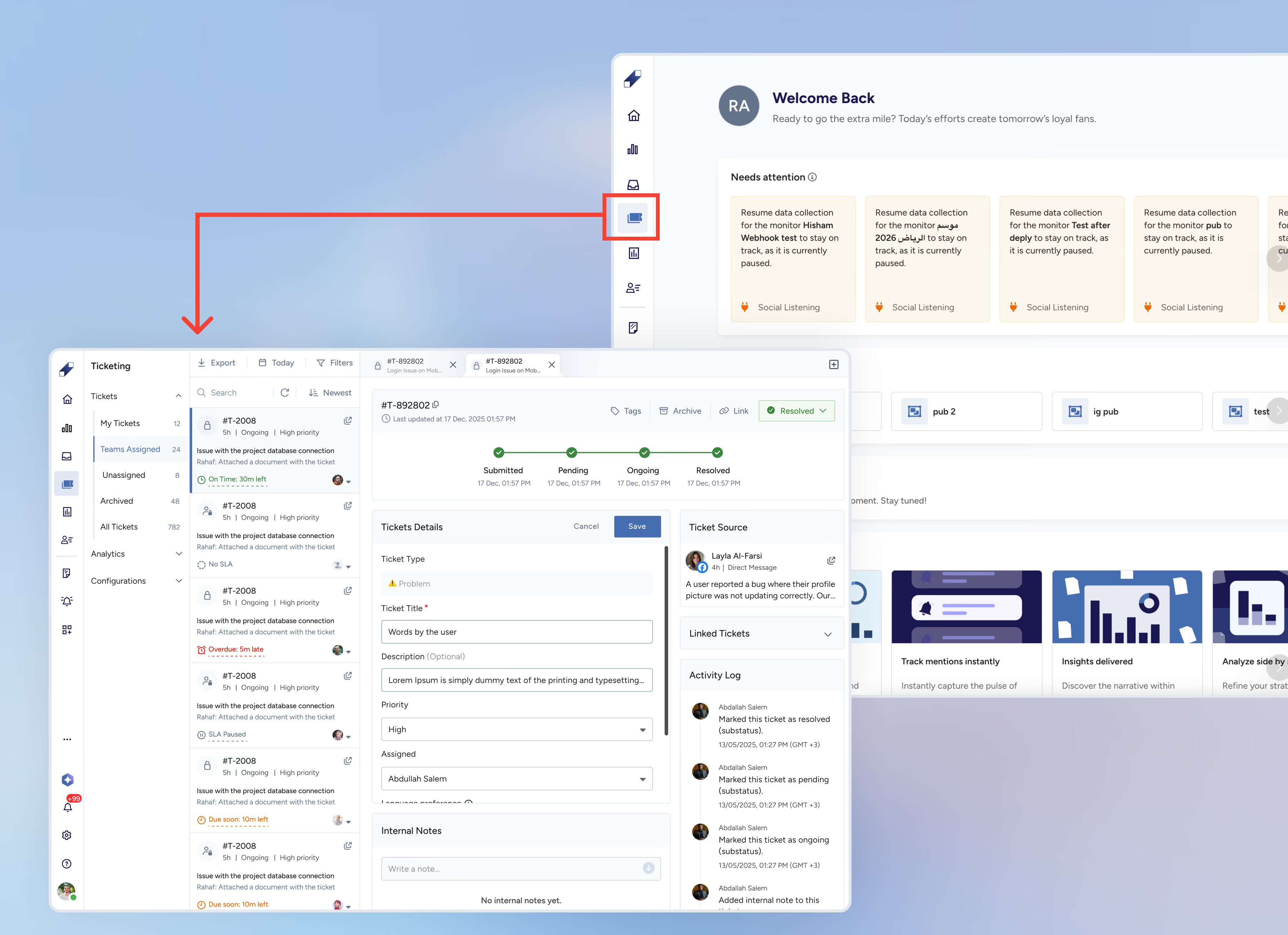
The Ticketing System is a Lucidya product that lets support teams create, assign, track, and resolve customer issues in a single workspace. It connects directly with OmniServe, so agents can convert customer conversations into structured tickets without leaving their inbox, and customers receive automatic status updates throughout the process.
How It Works
A support request comes in through OmniServe from a social media, messaging, or email engagement and is converted into a ticket. Internal tickets can also be created independently without being linked to a customer engagement.
The ticket is assigned to the right team or agent, automatically based on template rules, or manually by a team leader or agent.
Tickets move through four main statuses: Submitted, Pending, Ongoing, and Resolved. Each status has configurable sub-statuses. Customers are notified automatically via SMS or email whenever the status changes.
Agents manage tickets from a shared inbox, update details, add internal notes, link related tickets, and move cases toward resolution.
Built-in analytics dashboards provide real-time visibility into resolution times, SLA compliance, and agent performance.
What the Ticketing System Includes
Tickets: the workspace where agents and team leaders create, view, assign, and resolve tickets. Organized into five tabs: My Tickets, Teams Assigned, Unassigned, Archived, and All Tickets.
Analytics: dashboards covering ticket volumes, SLA performance, and agent productivity, with export options for reporting.
Configurations: where team leaders set up ticket templates, custom fields, tags, teams, and user permissions.
OmniServe Integration
The Ticketing System connects directly with OmniServe. Agents can create tickets from within an OmniServe engagement and link them to the conversation. Customer-facing tickets are always linked to an engagement. Internal tickets can be created standalone from any ticket view.
Roles and Permissions
Two roles are available: Team Leader and Agent. Team leaders have full access including Configurations. Agents can create and manage tickets, update statuses, add notes, and view analytics, but cannot access Configurations.
Customer Portal
When a ticket's status changes, customers receive an SMS or email with a link to their Customer Portal, a secure page where they can track their ticket's progress in real time without needing a login or account.
For further assistance contact Lucidya Support.
Frequently asked questions
Tickets can be created from OmniServe (linked to a customer engagement) or independently as internal tickets from any ticket tab.
Tickets move through four statuses: Submitted, Pending, Ongoing, and Resolved. Each status supports configurable sub-statuses.
Customers receive automatic SMS or email notifications whenever the ticket status changes, with a link to the Customer Portal where they can track progress.
Team Leaders have full access including the Configurations section. Agents can create and manage tickets but cannot access system configuration.